

Commenting Feature
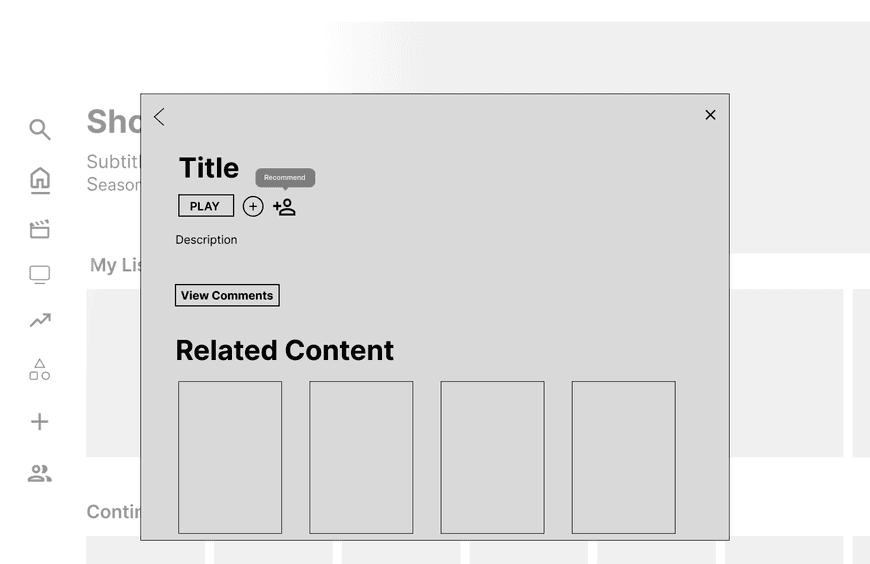
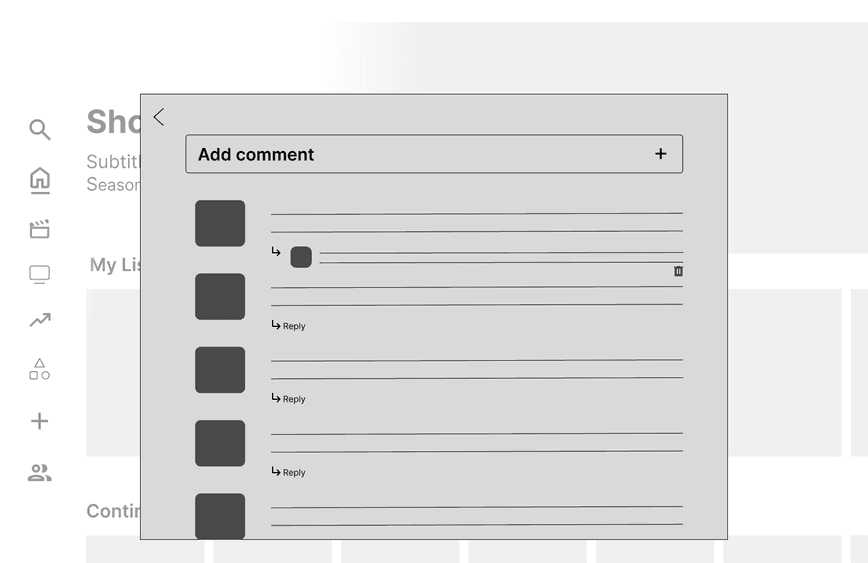
Users can view comments at the side of each episode. Clicking on the “View Comments” button will take them to this area where they can view other friends’ comments as well as add their own.
Based on members’ factors like distance, car capacity, and driving availability, our optimizer is able to create clusters, grouping users and ensuring less driving and less planning.
This was one of my first case studies and introductions to UI/UX design! This project taught me about the connection between good research and good design. I learned so much about how to learn about a topic, structure a study, interview, and develop well rounded ideas. As someone without strong research background, I tend to focus on what look aesthetically pleasing. In this bootcamp and case study I learned that user experience is intrisically important to good interaction design.
Social Section
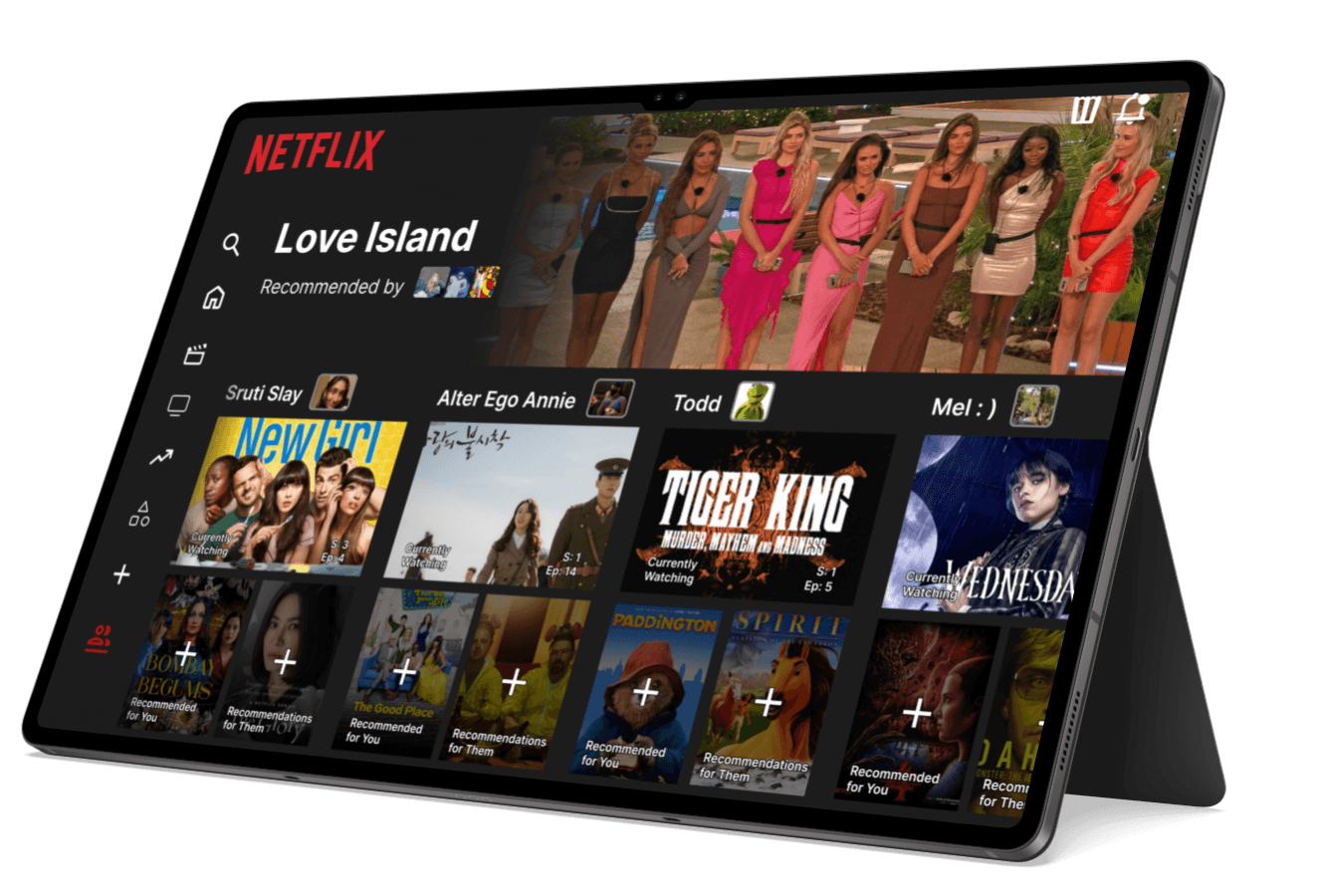
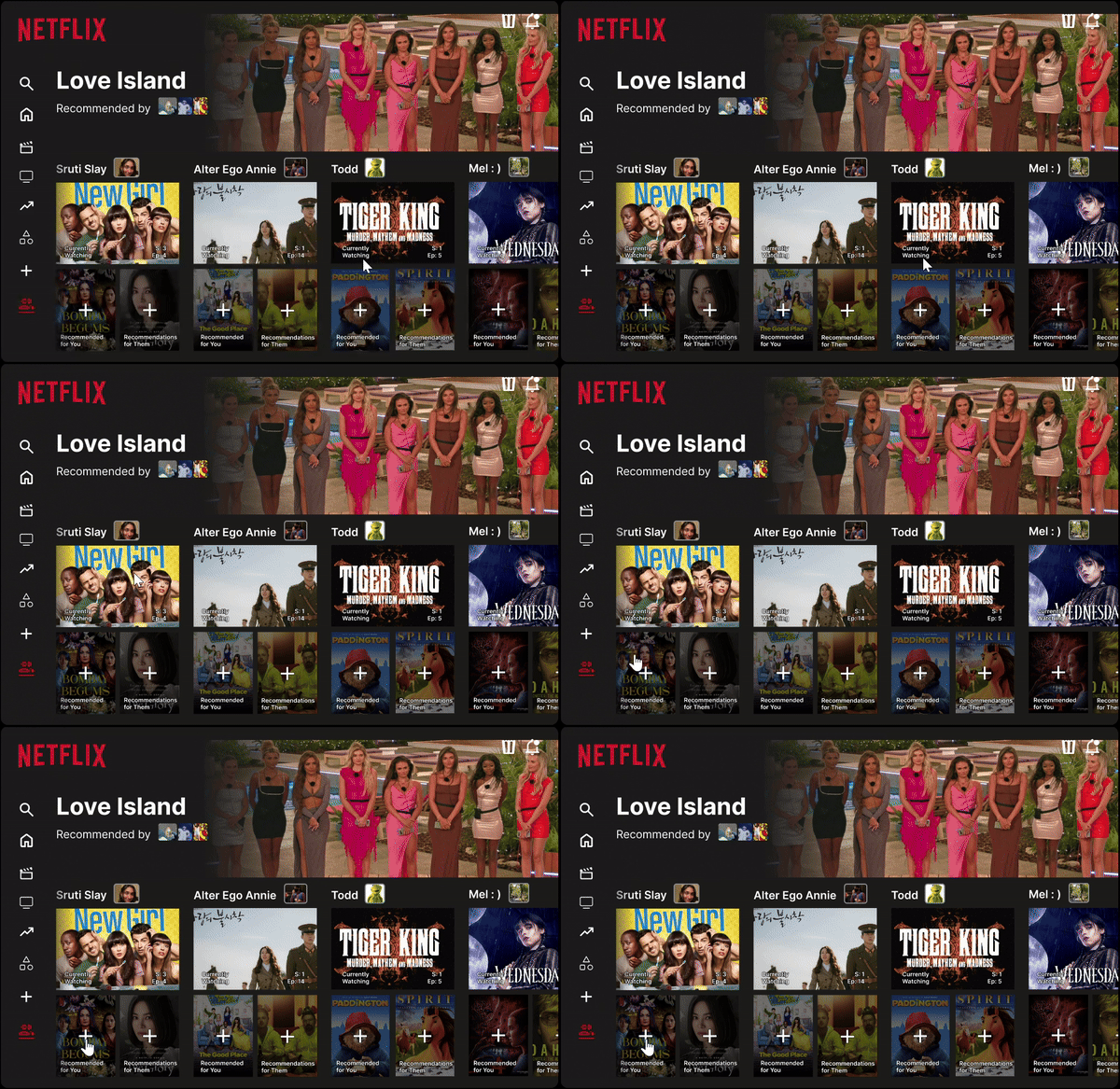
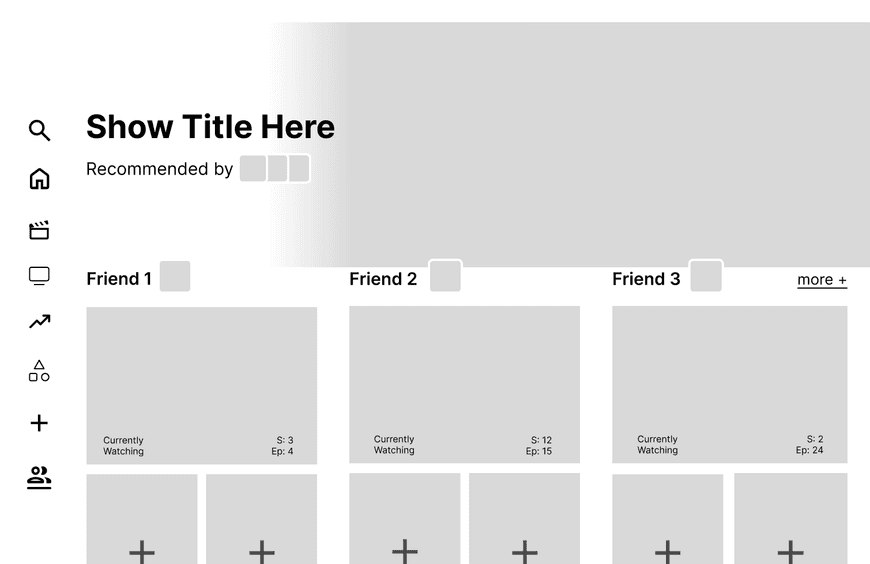
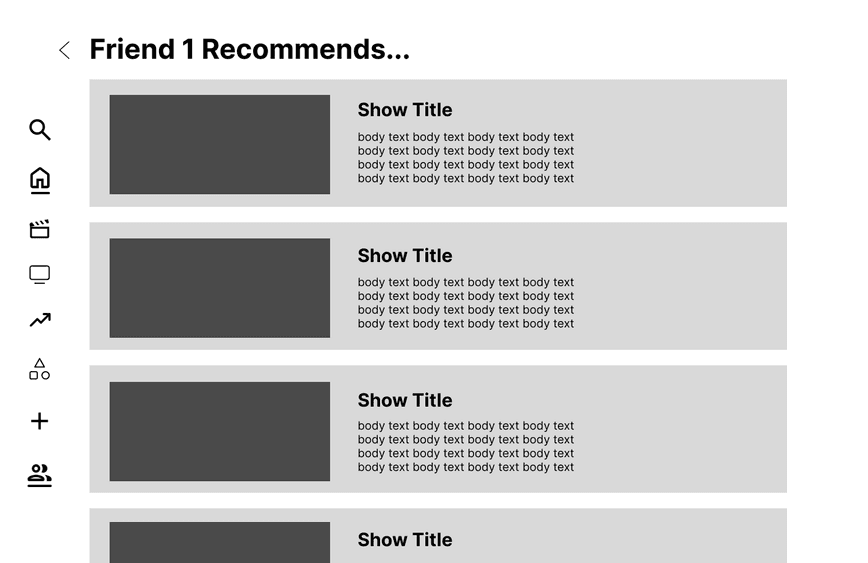
The social section is accompanied by a new icon at the sidebar. Here, users can see all their friends and what they are watching. They will also be able to click Recommended for You to view shows their friend has pushed to them.
Based on members’ factors like distance, car capacity, and driving availability, our optimizer is able to create clusters, grouping users and ensuring less driving and less planning.
Recommendation Feature
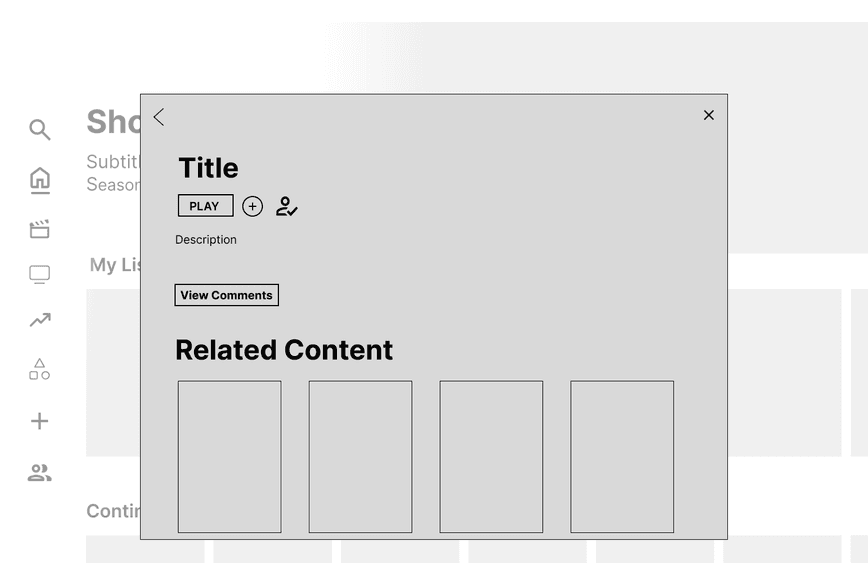
As users hover over the new icon, they will see an option to recommend. Once they recommend the show to a friend, it will be replaced by a check mark. More detail to the feature was added in the hi-fidelity design.
Based on members’ factors like distance, car capacity, and driving availability, our optimizer is able to create clusters, grouping users and ensuring less driving and less planning.
Pinned My List
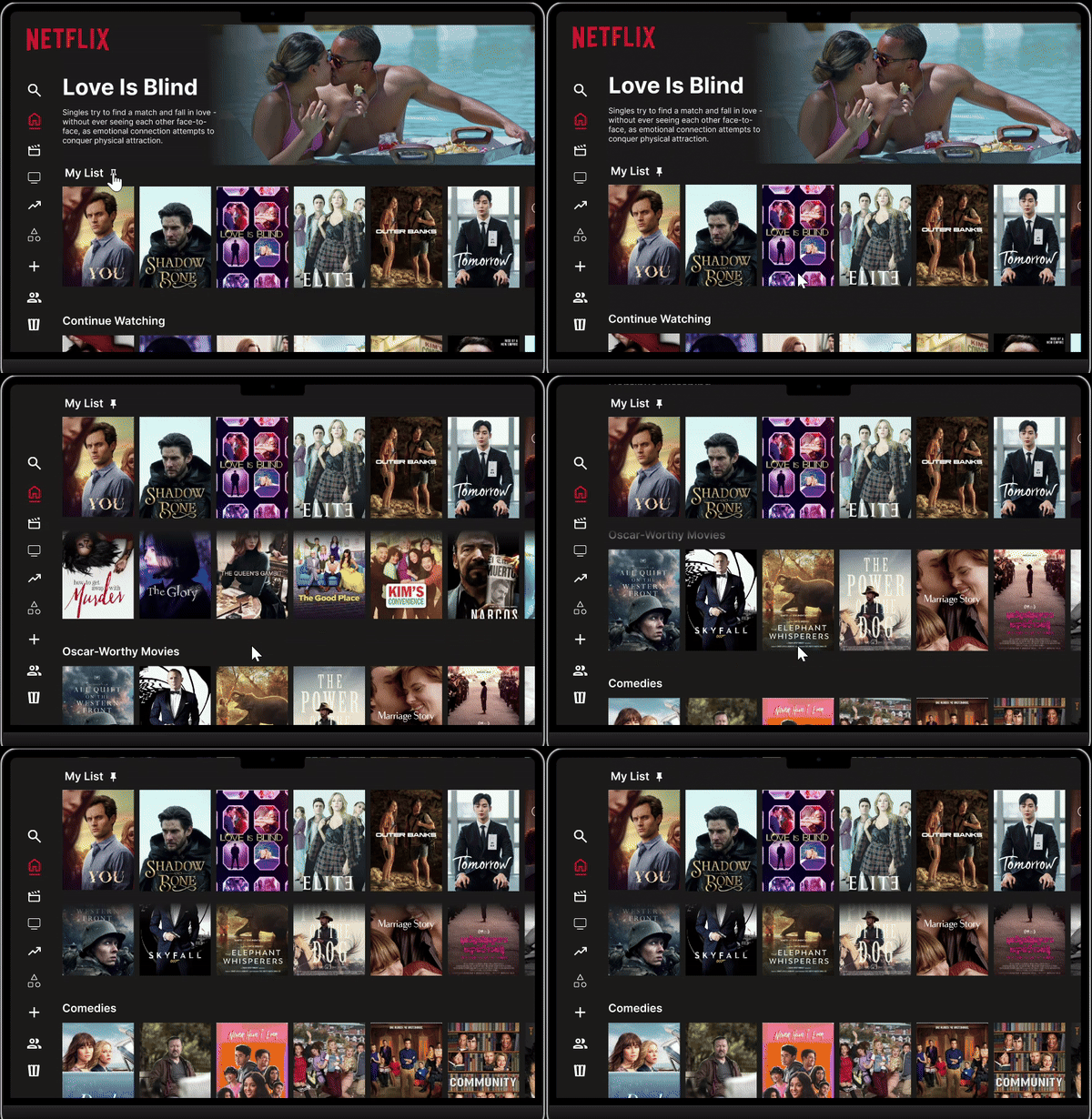
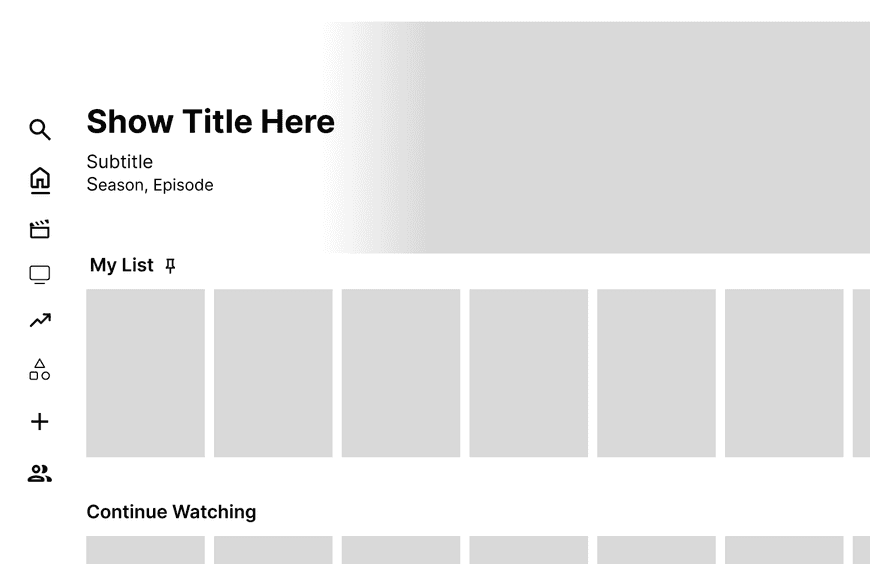
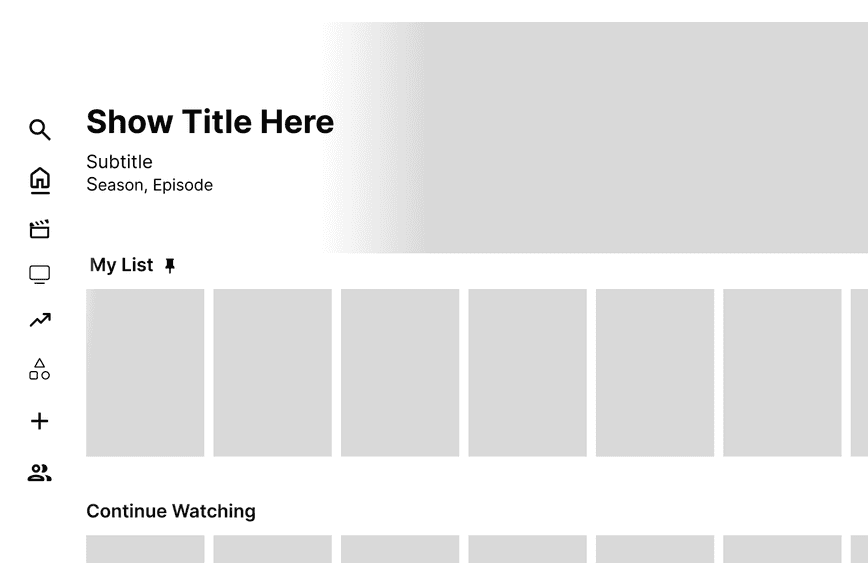
Clicking the pin next to the My List header allows user to pin the row. As they scroll, My List will stay at the top of their screen.
Based on members’ factors like distance, car capacity, and driving availability, our optimizer is able to create clusters, grouping users and ensuring less driving and less planning.
Focusing on Netflix, with a mix of other service users, my partner and I conducted 8 interviews of roughly 30min each. To understand different watch habits, including any paint points and general complaints, we asked users how they go about finding a new media to watch on Netflix: walk us through how they use Netflix, which sections they use most, why they prefer Netflix to another streaming service (or vice versa), and any dislikes they had with the current system.
Understanding User Needs
Following feedback from our low and mid-fi wireframes, my teammate and I moved forward iterating on our frames for a final prototype and demonstration. Over the course of 2 weeks, I lead Figma prototyping and learned how to convey our final designs for our exhibition in a meaningful way for our audience.
Final Prototypes & Product
From our user flows and journey maps, we started working on the base of our design. Our goal was to keep the original layout of Netflix with blended enhancements and functions that were seamless with the original service. To bring our frameworks to life, we began working on low fidelity frames.
Iterating & Reiterating
What we found:
" I find myself adding shows to My List constantly but never coming back because I can never find My List easily."
"I think I use recommended content more than the Search section, sometimes I find myself endlessly scrolling though."
"Being able to comment about a show or see comments would be a really cool way to see what people think about it."
Our enhancement should include a section where users can connect and add friends, see what they’re watching, and recommend things to each other
Our design should implement features for each show/movie where users can view comments from friends, and recommend the show/movie to other users
A key addition should pin My List to the top of the screen so that users where never lose track of their list as they search
In this bootcamp project, my partner and I wanted to research the factors that go into fostering community in an online site and how we could implement this on a watching service like Netflix. We designed and prototyped 3 recommendations fo sharing content and discussing shows with friends online.
Solution
Netflix is currently the largest streaming service with 225 million monthly subscribers. However, the current recommendation system makes it difficult for each member in the audience to find something compelling to view, and for the system itself to understand why it might be of interest to the viewer.
Problem
I completed this case study as part of a UX Design Bootcamp in college, exploring the full process of a user experience designer. Using a site that I love, my teammate and I sought to create valuable additions to Netflix's site that would encourage social interactions within the streaming service itself.
Overview
Designing social-based enhancements for fostering community on Netflix